
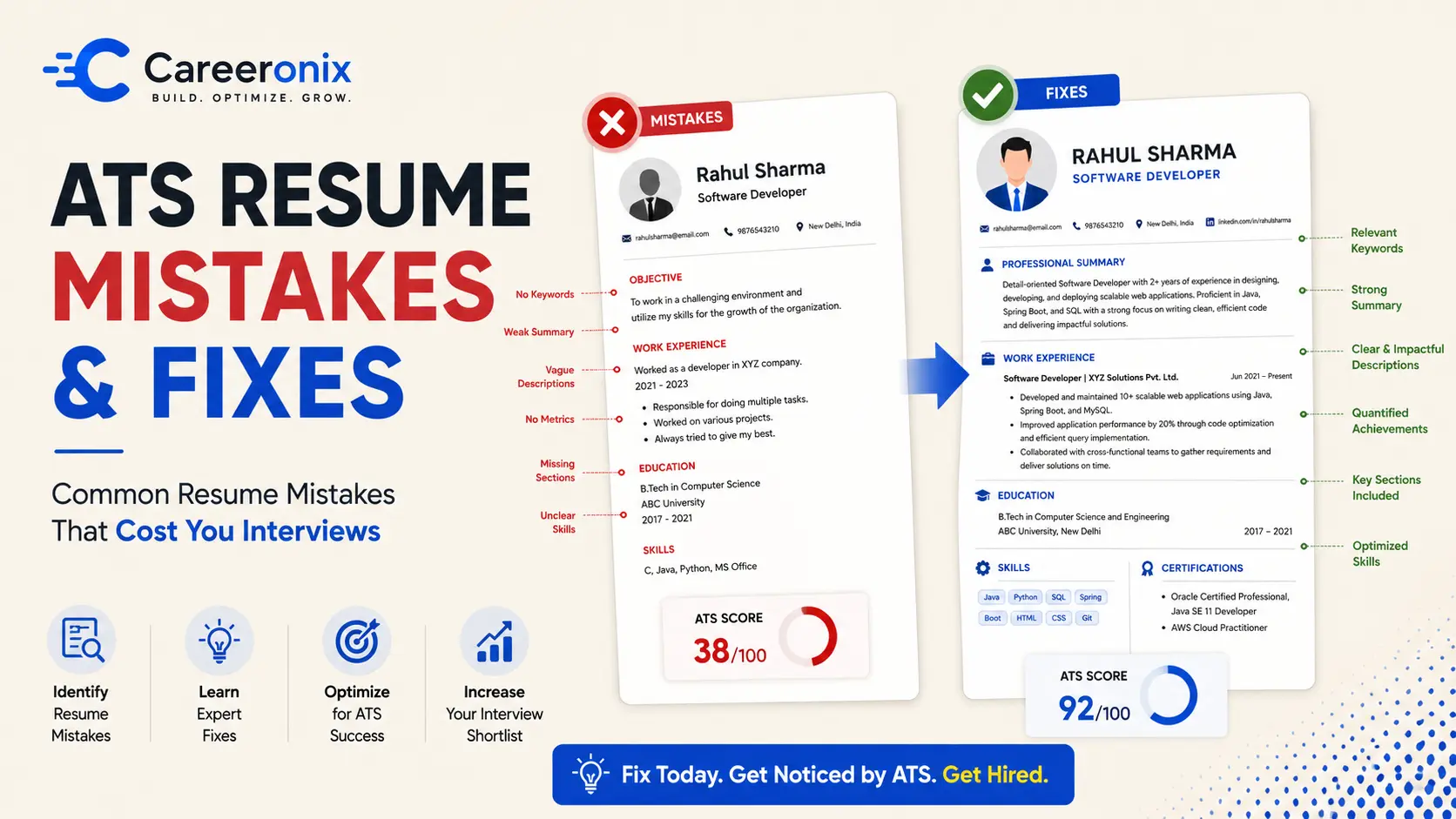
Fix These 7 Resume Mistakes That Are Killing Your Job Chances
Not getting interview calls even after applying to multiple jobs? Your resume might be the problem. Many candidates make common resume mistakes that prevent them from getting shortlisted, even if they have the right skills.In this guide, you’ll discover the top resume mistakes that are killing your job chances—and how to fix them step by step.
Why Your Resume Isn't Getting Interview Calls?
(If you're confused about the difference between a resume, CV, and biodata, read our complete guide to understand which one to use.)
7 Resume Mistakes That Are Killing Your Job Chances
Resume Mistake #1: Using a Generic, One-Size-Fits-All Resume
Why it hurts: ATS scans for role-specific keywords; generic resumes score below threshold
The Fix (Step-by-Step):
- Paste the JD into a keyword extractor
- Identify top 8–10 hard skills + tools mentioned
- Mirror that language in your Skills
- Experience sectionsType your paragraph here
Before vs After Example
Resume Mistake #2: Weak or Missing Professional Summary
Why it hurts: Recruiters skim the top 3 lines first. "Hardworking team player" tells them nothing.
The Fix: Use the formula → [Role] + [Years/Status] + [Top 2 Skills] + [Quantified Achievement]
Before vs After Example
Resume Mistake #3: Listing Responsibilities Instead of Achievements
Why it hurts: Everyone in your role had the same duties. Achievements separate you.
The Fix: Apply the XYZ formula → "Accomplished [X] as measured by [Y] by doing [Z]"
Before vs After Example
Resume Mistake #4: Ignoring ATS Formatting Rules
Why it hurts: Tables, graphics, columns, and fancy fonts break ATS parsing → resume reads as garbled text
The Fix (Checklist):
- Use single-column layout
- Stick to standard fonts (Calibri, Arial, Helvetica — 10–12 pt)
- No images, icons, headers/footers, or text boxesSave as .docx or PDF (text-based, not scanned)
(Many resumes fail because they don’t include the right keywords. Learn how to use the correct ATS resume keywords for freshers to improve your chances of getting shortlisted.)
Resume Mistake #5: No Quantifiable Numbers or Metrics
Why it hurts: "Improved sales" is forgettable. "Improved sales by 32%" is interview-worthy.
The Fix: Add numbers to every bullet — %, ₹, time saved, people impacted, scale
Before vs After Example:
Resume Mistake #6: Overloaded or Irrelevant Information
Why it hurts: Too much clutter = recruiter confusion = rejection.
The Fix:
- Remove irrelevant internships, hobbies, outdated skills
- Keep resume 1 page (freshers) / 1–2 pages (experienced)
- Prioritize relevant experience only
Before vs After Example:
Resume Mistake #7: No Clear Career Direction
Why It Hurts: If your resume looks scattered, recruiters don’t understand your goal and they skip you.
The Fix:
- Add a focused resume summary (2–3 lines)
- Align projects, skills, and experience toward one role
Before vs After Example:
Quick Resume Audit Checklist
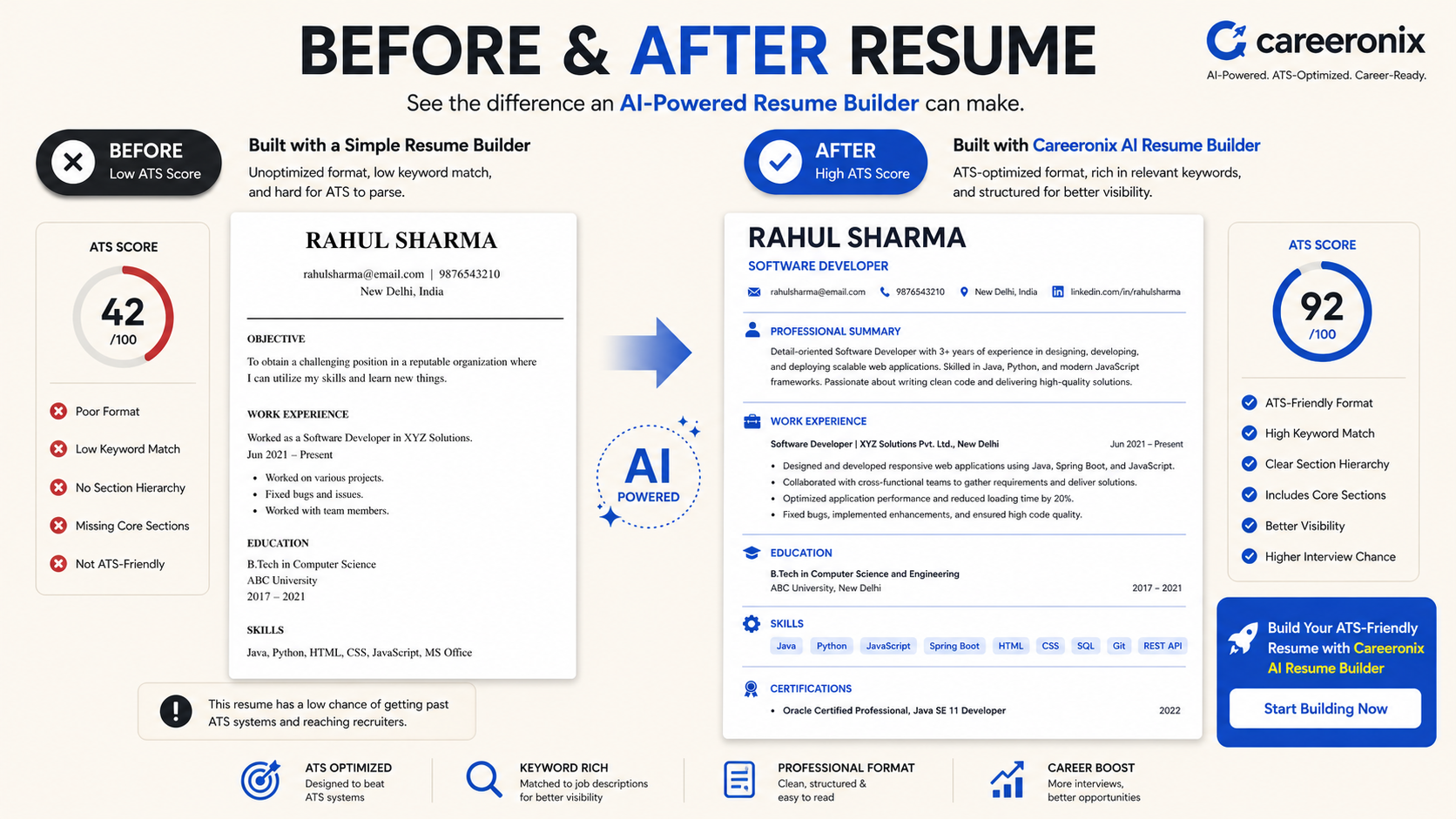
Fixing all 7 manually takes hours — and one missed keyword can still get you filtered out. Careeronix's Resume Optimizer scans your resume against any JD in 30 seconds, scores your ATS compatibility, and rewrites weak bullets into achievement-driven lines. Or build one from scratch with our AI Resume Builder — recruiter-approved templates, zero formatting headaches.
Click Here To Create Your Resume From Scratch
Frequently Asked Questions (FAQ)
How do I make my resume ATS-friendly?
To make your resume ATS-friendly, use a single-column layout, standard fonts like Arial or Calibri, and avoid images, tables, or graphics. Include keywords from the job description, save the file as a .docx or text-based PDF, and use standard section headings like "Experience" and "Skills."
How can I improve my chances of getting interview calls?
Customize your resume for each job, highlight measurable achievements, include relevant keywords, and ensure your resume is clear, concise, and ATS-friendly
What is the fastest way to fix a resume?
Update your resume by adding job-specific keywords, removing irrelevant information, and rewriting bullet points with measurable results. Use a clean, simple format to improve readability.
If you want to speed up the process, you can use tools like Careeronix Resume Optimizer to automatically identify gaps, improve keywords, and make your resume ATS-friendly in minutes.
Type your paragraph here
Pingback: ATS Resume Keywords for Freshers: Optimize vs Stuff | Careeronix