
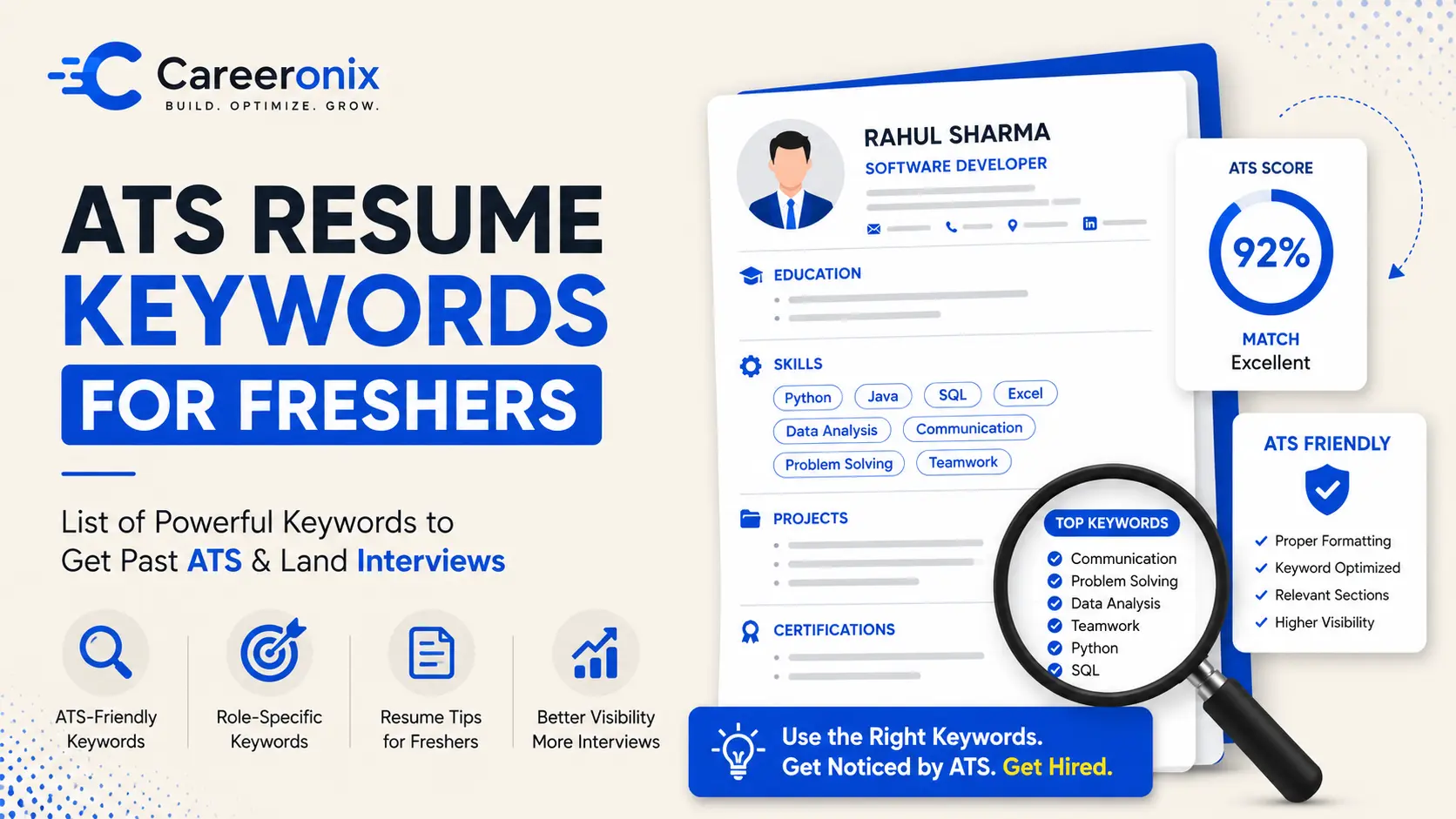
You’ve probably heard this advice a hundred times: “Add keywords to your resume.” So you did. You copied every skill from the job description. You dropped “Python, Java, SQL, Machine Learning, Data Analysis, Communication, Teamwork, Leadership” into your resume six different times. You felt confident. Then… silence. No calls. No emails.
Here’s the uncomfortable truth: keyword stuffing doesn’t just fail — it actively hurts your chances. Both with the robot (the ATS) and with the human recruiter reading it afterward.
In this guide, we’ll break down exactly what ATS resume keywords for freshers should look like, why stuffing backfires, and how to place keywords so naturally that your resume feels like it was written by a confident, skilled candidate — not a desperate one.
What Is an ATS and Why Does It Care About Keywords?
An ATS (Applicant Tracking System) is software that companies use to scan, filter, and rank resumes before a human ever sees them. Big companies in India — Infosys, TCS, Wipro, Zomato, Razorpay — all use ATS tools.
Think of ATS as a very literal, very strict librarian. You ask for “Python developer.” It searches every resume for the word “Python.” If your resume doesn’t say Python — even if you clearly know it — the system may push you to the bottom of the pile.
(If you’re confused about which format to use, read our guide on Resume vs CV vs Biodata for freshers.)
Resume vs CV vs Biodata for freshers
The simple version:
Keyword Optimization vs. Keyword Stuffing — What’s the Real Difference
KEYWORD STUFFING
“Skilled in Python, Python scripting, Python coding, Python development, and Python-based projects. Python is my core skill.”
KEYWORD OPTIMIZATION
“Built a real-time data pipeline using Python and Pandas, reducing manual reporting time by 40% during a college internship.”
See the difference? The first version repeats Python five times and means almost nothing. The second uses it once — in context — and tells a complete story. That’s resume keyword optimization done right.
Why Stuffing Backfires — Even With ATS
Modern job software (like Greenhouse or Lever) is very smart. They do not just count how many times you use a word. They read your resume to see if it actually makes sense. If you just copy and paste the same words over and over, the software will give you a lower score for looking spammy. Even if you trick the computer, a real person has to read it next. You will look silly if your sentences sound like a robotic shopping list instead of a real human.
Read our detailed guide on Resume Mistakes: Why You’re Not Getting Interview Calls (Fixes).
The Honest Warning: Don’t Fake Keywords You Don’t Know
This section matters more than you think. Some freshers add keywords for skills they’ve never touched — “Machine Learning,” “React,” “AWS” — just to pass ATS filters.
Here’s what actually happens:
You get called for an interview. The interviewer asks you to walk them through your ML project. You blank out. You’ve wasted both of your time, burned that company’s goodwill, and hurt your own confidence. Worse — in many technical companies, this gets you blacklisted.
Only add keywords for skills you genuinely have. Even if it’s basic. “Familiar with SQL — ran queries during a college project” is infinitely more valuable than a fake claim that collapses under one interview question.
Where to Naturally Place ATS-Friendly Resume Keywords
Here’s exactly where and how to use ATS-friendly resume keywords in a way that feels human and ranks well:
1. Resume Summary (The First 3 Lines)
BEFORE (GENERIC)
“Hardworking fresher looking for a job in data analysis. Quick learner with good communication skills.”
AFTER (OPTIMIZED)
“Data analysis fresher with hands-on experience in Python, Excel, and Power BI. Built dashboards during a 2-month internship at a logistics startup, improving stock reporting accuracy by 30%.”
2. Skills Section
Don’t just dump a word cloud. Organize skills into logical groups:
→ Languages:
→ Tools:
→ Concepts:
This way, ATS picks up structured keywords AND recruiters can scan it in under 6 seconds.
3. Work Experience & Internship Bullet Points
This is where most ATS resume mistakes happen. Freshers write duties instead of outcomes. Use the formula: Action verb + keyword + result.
WEAK BULLET
“Worked on data analysis tasks using Excel and helped the team.”
STRONG BULLET
“Analyzed 10,000+ sales records using Excel pivot tables and VLOOKUP, identifying a 15% revenue gap in Q2 2023.”
4. Projects Section
Projects are underrated ATS gold for freshers. Name the tools and skills you used — don’t bury them.
→ Use the project title to include a keyword:
→ Describe what problem it solved, not just what you built
→ “sentiment analysis,” “REST API,” “CRUD operations”
5. Certifications
List certifications with their full, searchable name. Don’t abbreviate unless the full form is also included.
→ Google Data Analytics Professional Certificate (Coursera) — 2024
→ AWS Cloud Practitioner Essentials — Amazon Web Services, 2024
Common ATS Resume Mistakes to Avoid
MISTAKE 01
Using a table or column layout — ATS often reads left-to-right across columns and scrambles your content.
MISTAKE 02
Putting keywords only in headers or footers — many ATS tools skip those sections entirely.
MISTAKE 03
Using graphics, icons, or text boxes — these are invisible to ATS scanners.
MISTAKE 04
Submitting as a JPEG or image PDF — always save as a text-based PDF or .docx.
MISTAKE 05
Using one generic resume for every job — tailor your keywords to each JD, even slightly.
MISTAKE 06
Leaving out job title keywords — if the JD says “Software Engineer,” use that exact phrase.
Actionable Checklist: Optimize Your Resume Today
→ Copy the job description into a doc and highlight all hard skills, tools, and domain terms
→ Check your resume — do you use the same words (not just synonyms)?
→ Rewrite at least 3 bullet points using “Action verb + keyword + result”
→ Restructure your skills section into labeled categories
→ Update your summary to mention your top 3 relevant tools by name
→ Save your resume as a clean, single-column PDF — no tables, no graphics
Not Sure If Your Resume Is ATS-Ready?
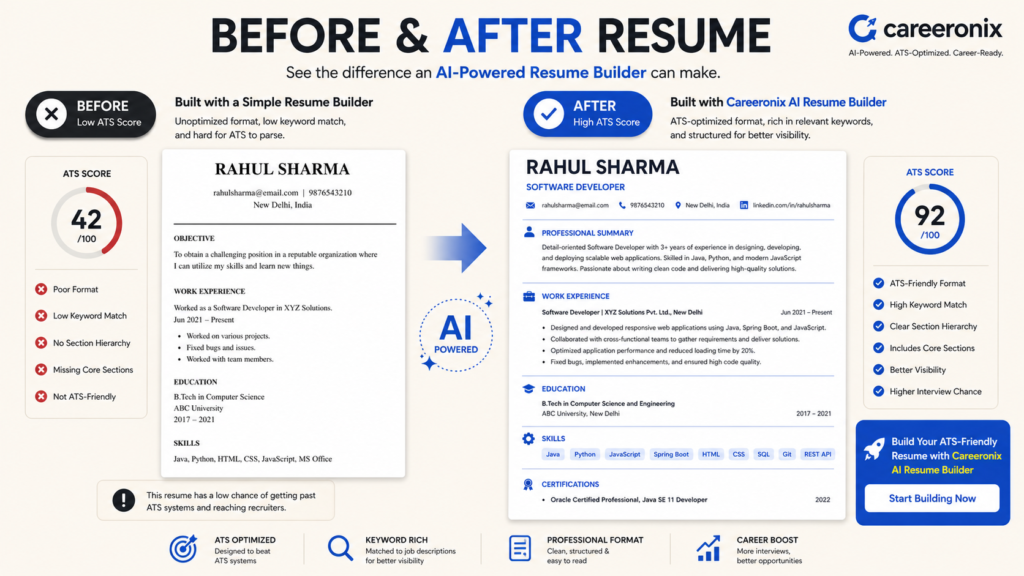
Careeronix AI Resume Optimizer scans your resume against any job description, suggests natural keyword placements, and helps you rewrite bullet points that actually get noticed — without sounding fake.
AI Resume Optimizer
Read our detailed guide on Resume Mistakes: Why You’re Not Getting Interview Calls (Fixes).
Why you’re not getting interview calls
Frequently Asked Questions
Q1: What are ATS resume keywords for freshers and where should I add them?
ATS resume keywords for freshers are role-specific words — tools, skills, and job titles — taken directly from the job description. The best places to add them are your resume summary, skills section, project descriptions, and work experience bullet points. Avoid adding them randomly; always tie them to a real experience or skill you genuinely have.
Q2: How is keyword optimization different from keyword stuffing in a resume?
Keyword optimization means placing relevant terms naturally within sentences that describe your actual experience and achievements. Keyword stuffing means repeating the same words multiple times in an unnatural way just to score higher in ATS — which can actually lower your score in modern systems and make your resume unreadable to human recruiters.
Q3: Can keyword stuffing get my resume rejected by ATS?
Yes. Modern ATS systems use semantic analysis, not just raw keyword counts. Resumes with unnaturally repeated terms can be flagged as low quality. More importantly, even if a stuffed resume gets through ATS, recruiters typically reject it within seconds because it reads as robotic and untrustworthy.
Pingback: Resume Mistakes: Why You’re Not Getting Interview Calls (Fixes)
Pingback: Resume vs CV vs Biodata: Key Differences Explained for Freshers - careeronix.in